
Learning games your child will love, from age 2 to 9.
Maths, reading, science, history, music and first words in other languages, in one calm 3D world of ten places: 436 games that adjust to your child, 50 read-along stories, Star Cadets for maths and Calm Cove, a quiet place to breathe and slow down. Nothing to buy and no ads for children, and a parents' area only you can open.
14 days free, then US$9.99 a month for up to four children. Cancel any time in your App Store or Google Play account.
- No ads, ever
- No third-party tracking
- Works offline
A whole curriculum's worth of play
Every game is built in 3D, explained aloud for children who can't read yet, and moves up or down a level as your child plays. Here's what they'll find.
Star Cadets maths
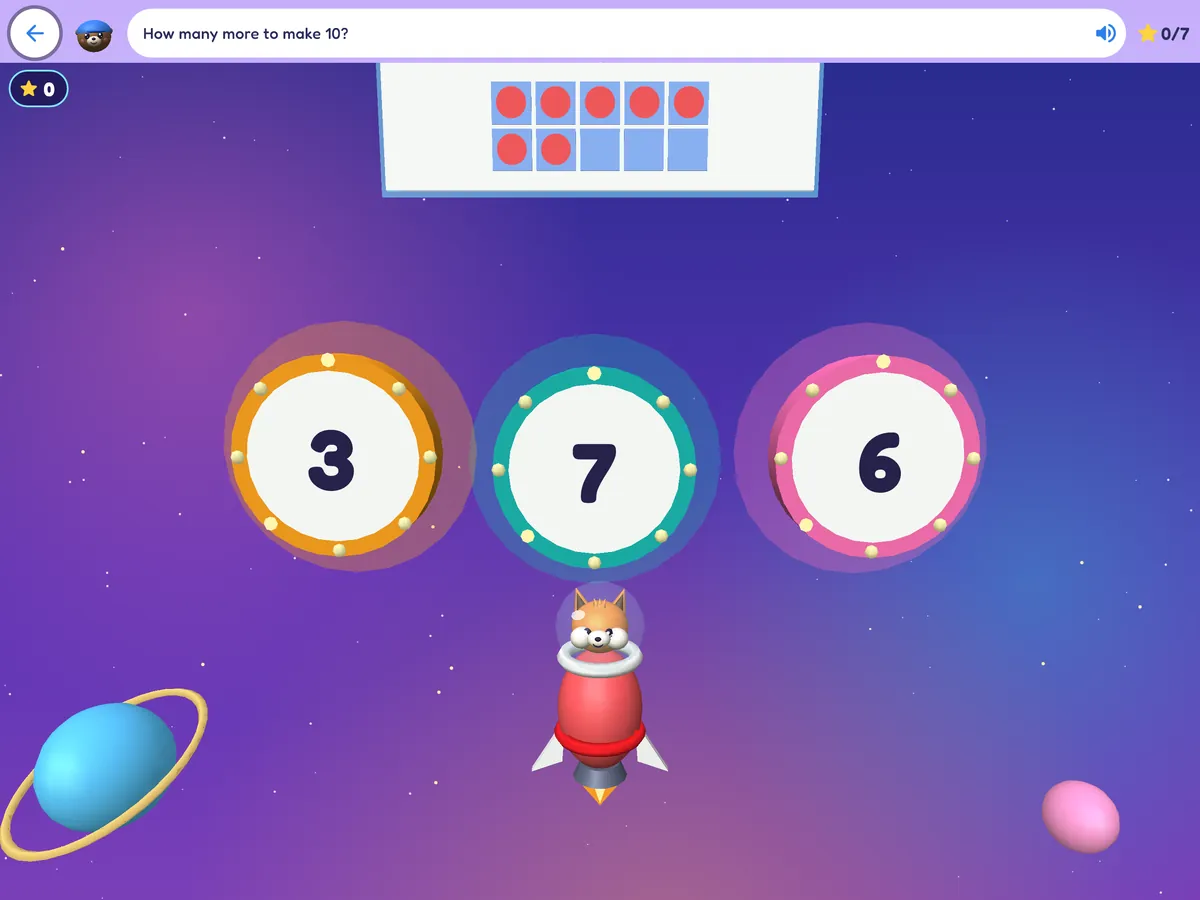
A space arcade: counting, adding, number bonds, times tables, fractions, money, time and measuring.
Maths games
Shapes, measuring, time, a market stall, data and word problems, on top of Number Kingdom's counting games.
English reading and writing
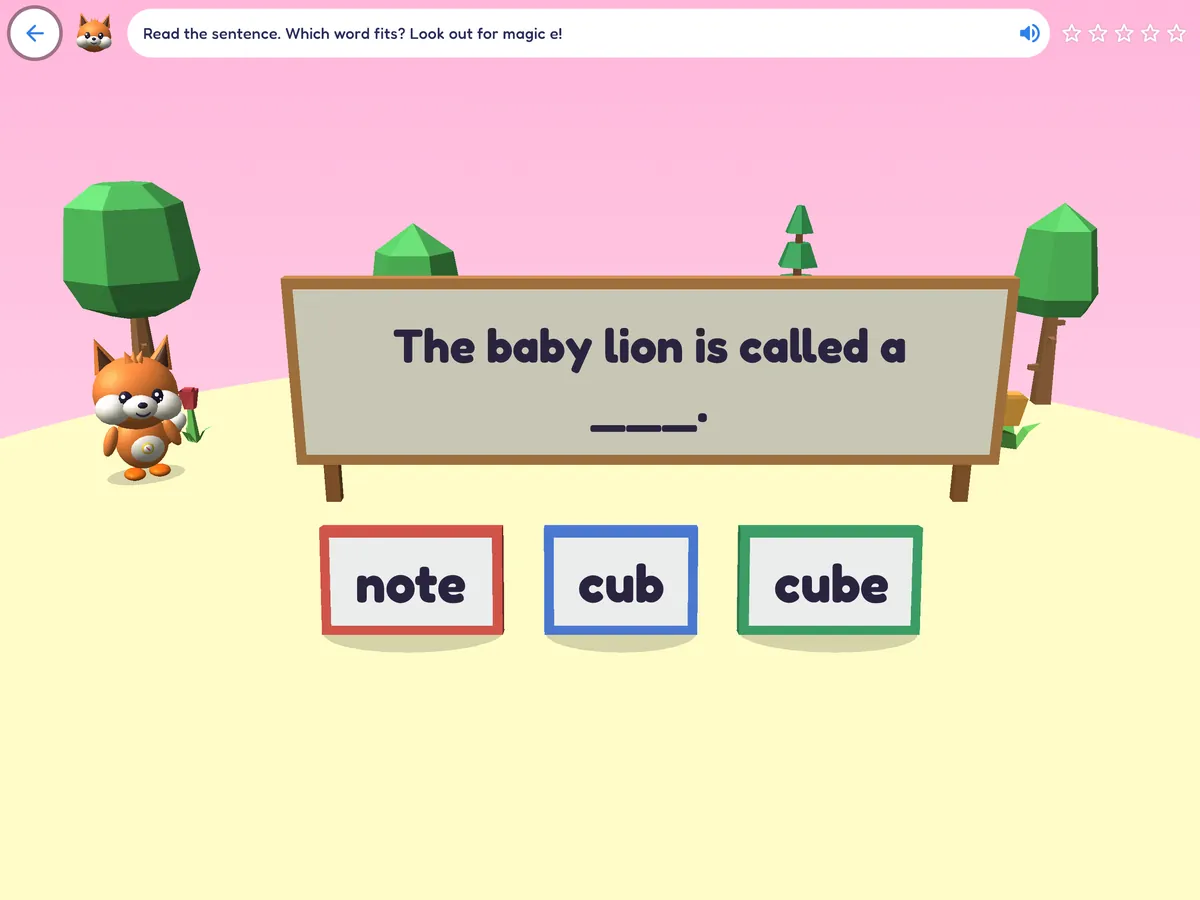
Phonics, spelling, sentences, grammar and reading comprehension.
In EnglishScience
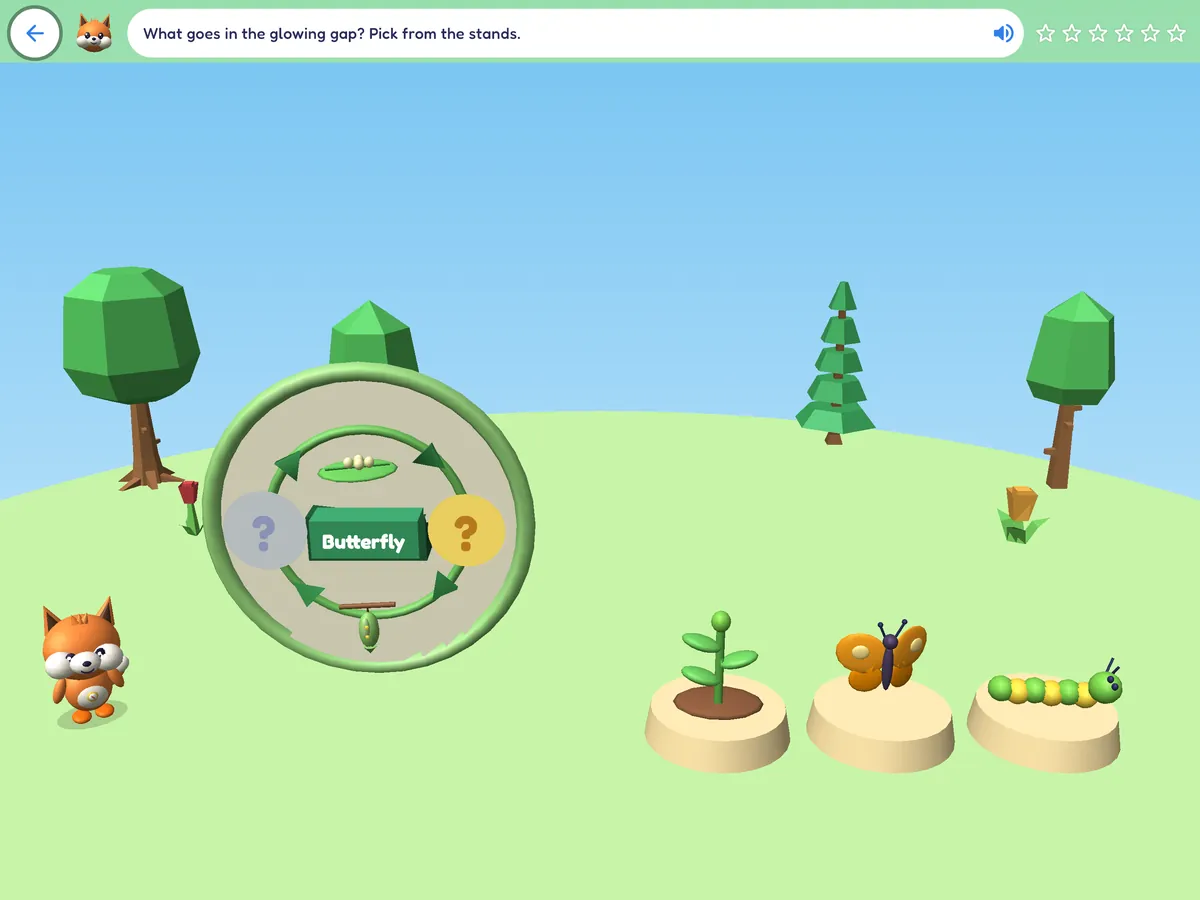
Living things, the body, materials, forces, light, sound and circuits, earth and space, and caring for the planet.
History and geography
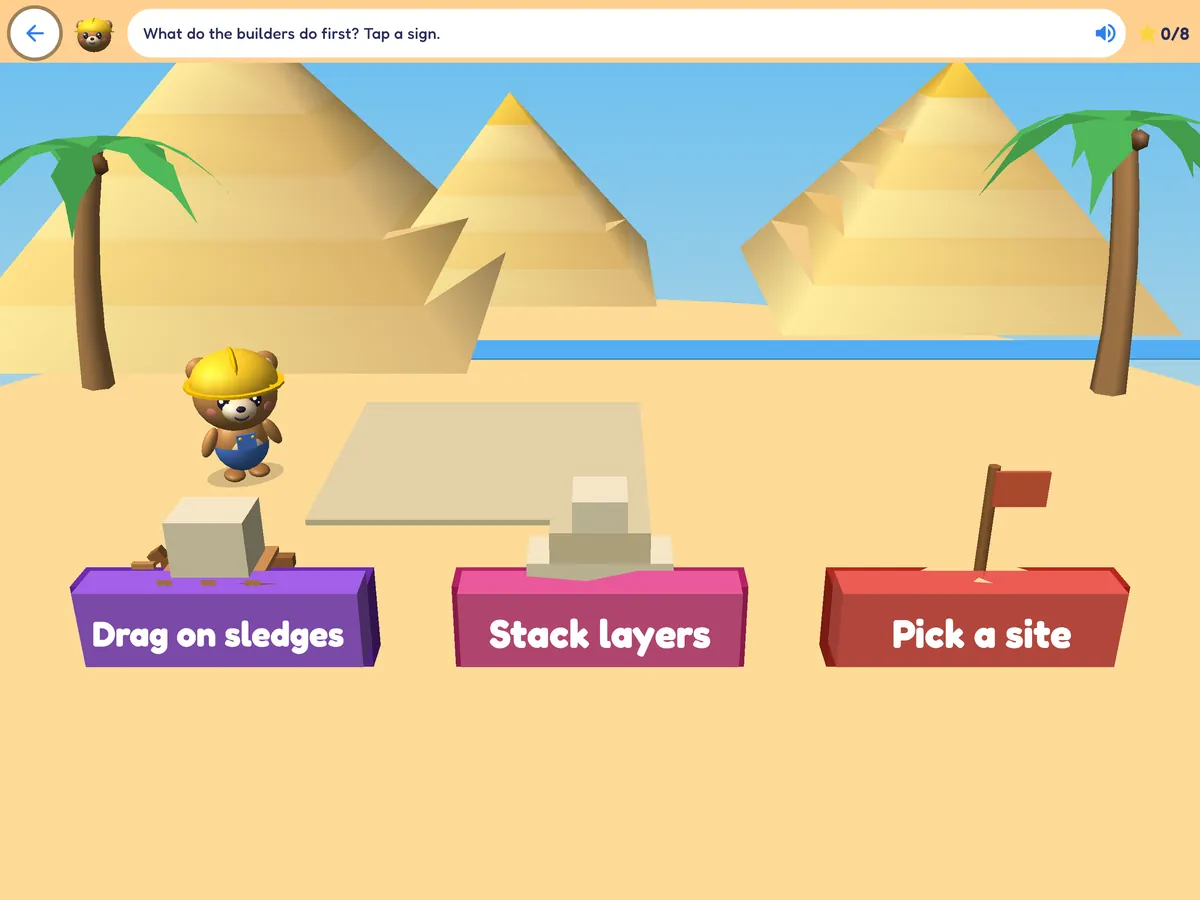
Prehistory, ancient Egypt, ancient worlds, voyagers and long ago; maps, compass points and the world.
Music
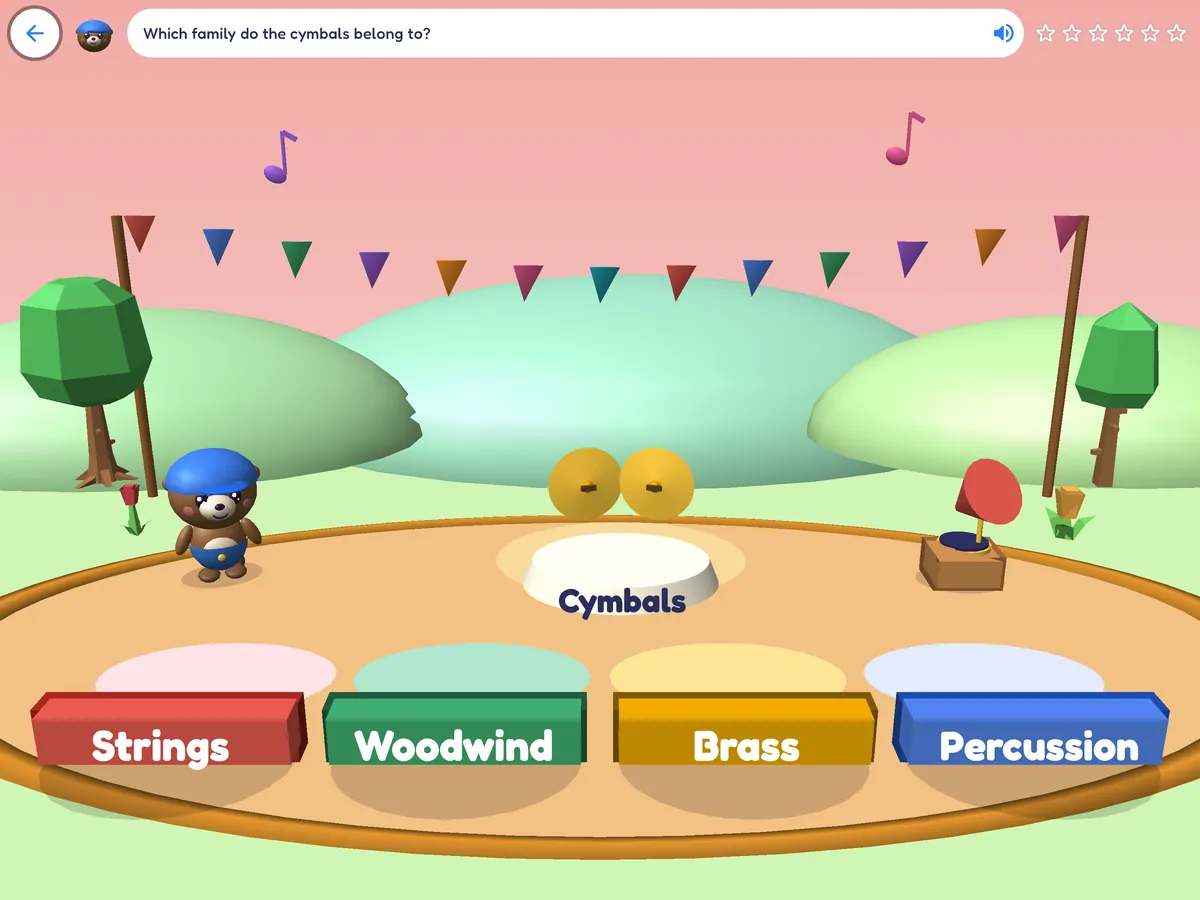
The orchestra, rhythm, reading notes, composing and great composers, plus Music Garden's listening games.
Read-along stories
Feelings, nature and science, history, folk tales from around the world, bedtime and everyday life.
Thinking, memory and feelings
Logic puzzles, memory, patterns, creativity, feelings and friendship across the world's places.
Language Lighthouse
First words in Spanish, French, German and Mandarin Chinese: listening, words, memory, Simon says, simple sentences and counting.
Six per languageCalm Cove
Slow breathing, gentle stretches, quiet scenes to watch and a feelings check-in, with no scores or timers.
FreeCounts are for Mellowmoor in English. The English reading and writing games appear when Mellowmoor is set to English. In Language Lighthouse, the language the app is set to is left out, and English-learning games appear when the app is set to another language. Everything else is in all seven languages.
Right for where your child is now
Tell Mellowmoor your child's age and it shows the games and stories made for them, then adjusts each game's level as they play.
First discoveries
- Colours, shapes and sorting
- Counting small groups and more or fewer
- Matching, memory and patterns
- Sounds, rhythm and first instruments
- Naming feelings, sharing and taking turns
- Short read-along stories and bedtime tales
115 games and 13 stories for this age.
Ready for school
- Counting to 20 and beyond, adding and taking away, making ten
- Letter sounds, phonics, first words and sentences
- Living things, the body, materials and the weather
- Maps, long ago and how people lived
- Star Cadets: slow, friendly maths missions
- Folk tales, nature stories and feelings stories
274 games and 18 stories for this age.
Growing confidence
- Times tables, place value, fractions, money and time
- Spelling, grammar and reading comprehension
- Forces, light, sound, circuits, earth and space
- Ancient Egypt, ancient worlds and voyagers
- Reading notes, composing and great composers
- Longer stories, including history adventures
273 games and 19 stories for this age.
Game counts are for Mellowmoor in English, not counting Calm Cove; many games span more than one age band.
A quiet place to breathe, stretch and slow down
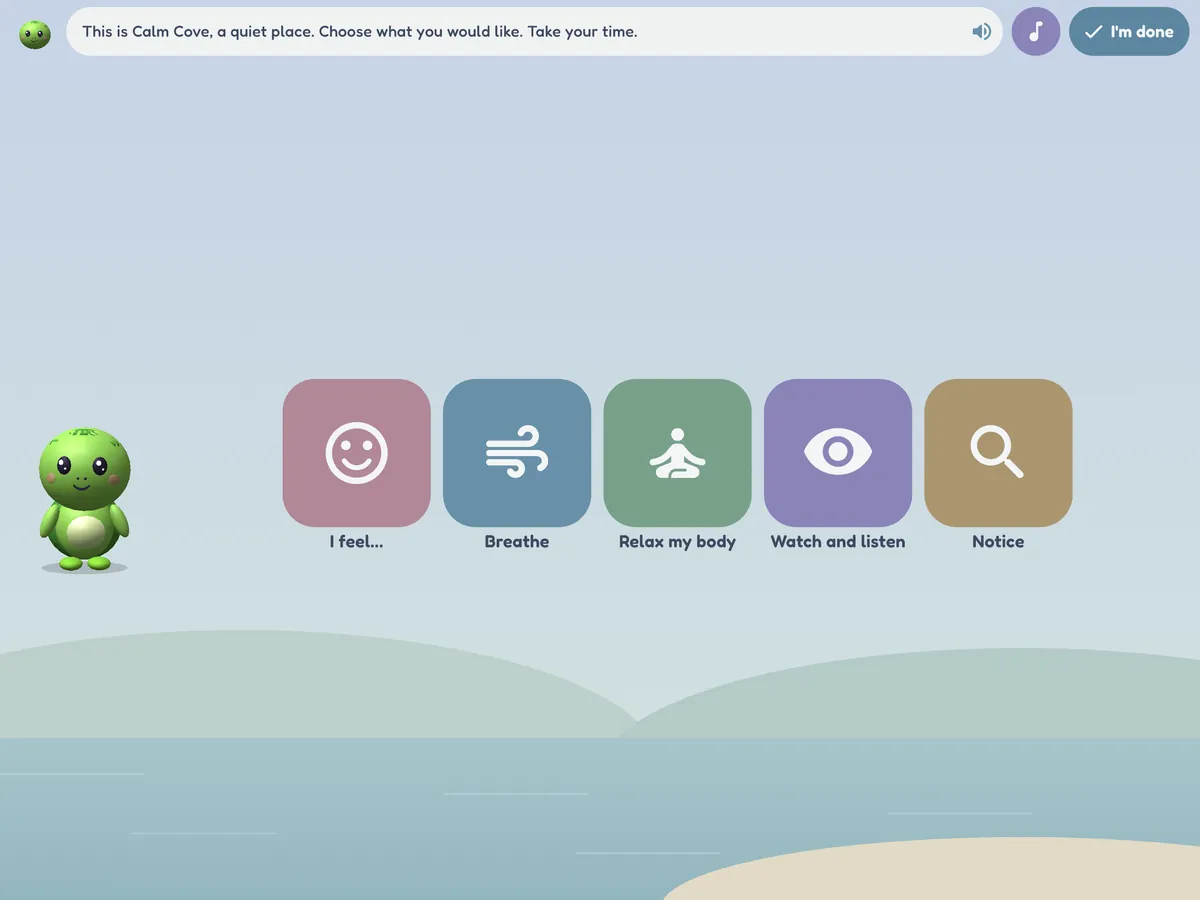
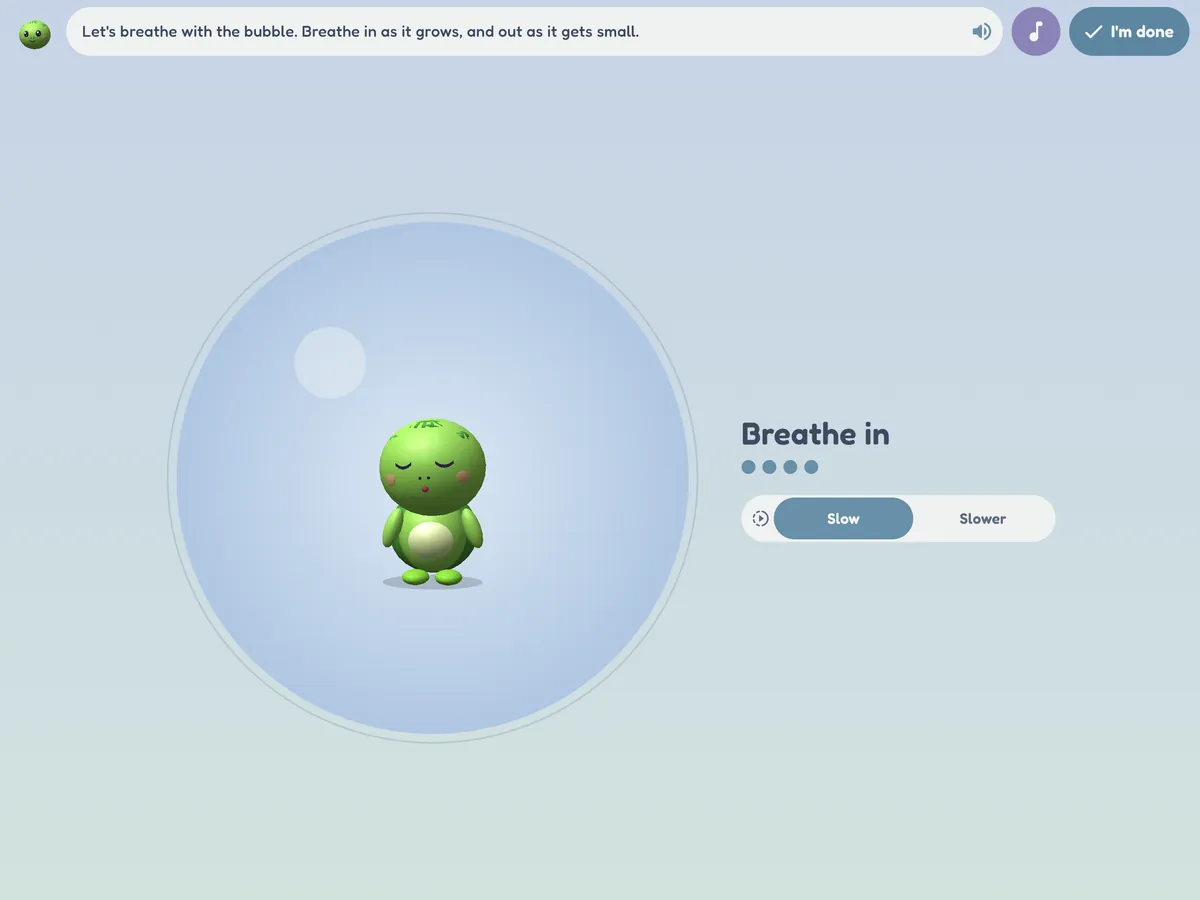
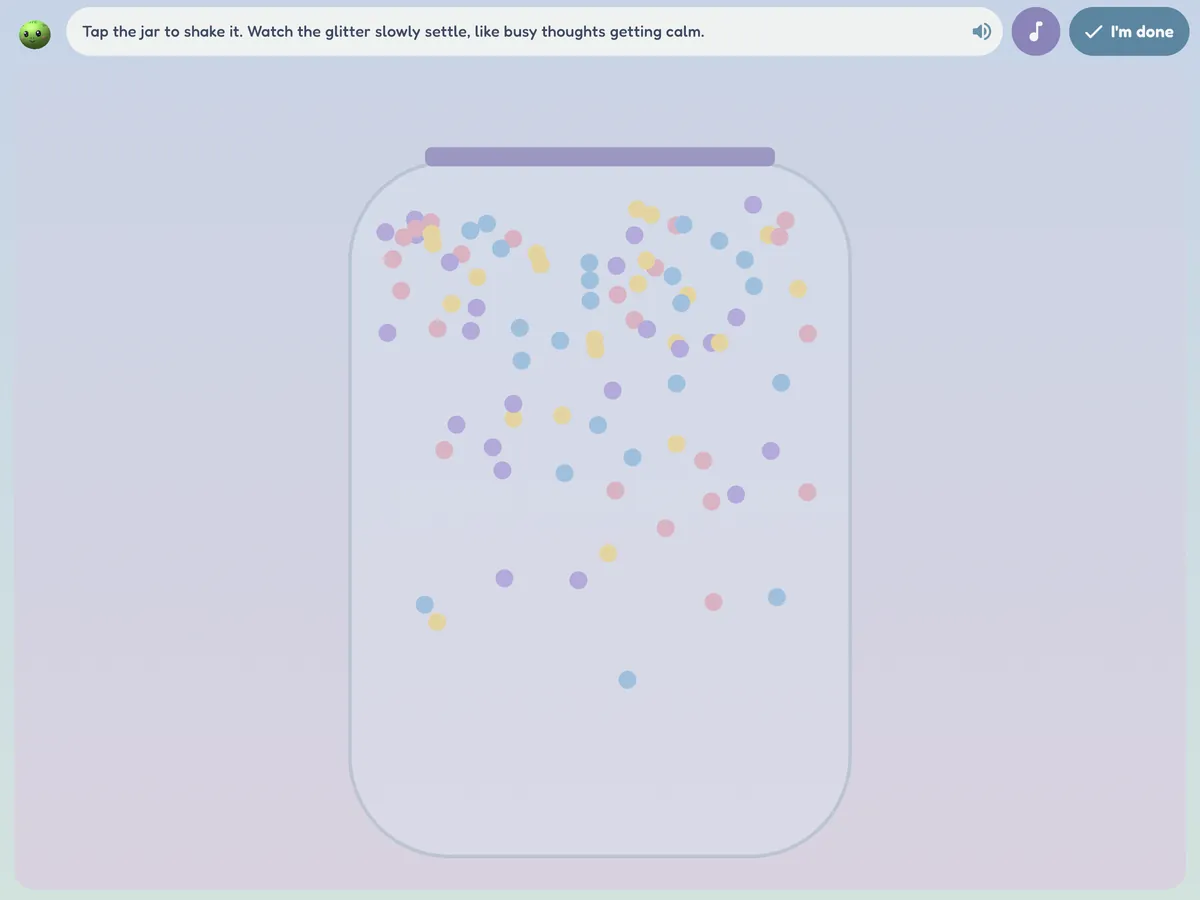
Calm Cove is a still, soft corner of the world where Tilly the turtle offers simple tools children can use to practise calming. Some children find a few slow breaths or a glitter jar helps them feel calmer; Calm Cove makes those tools easy to reach, at home or in a session.
- Breathe: bubble breathing, balloon belly, flower and candle, star breathing, five-finger breathing and square breathing, with a slow, steady count and a "Slower" choice.
- Relax my body: squeeze and let go, a body scan with Tilly, and slow animal stretches.
- Notice, watch and listen: 5-4-3-2-1 senses, find the calm colour, a slow fish tank, a glitter jar, rain on the window, drifting clouds, a lava lamp and quiet music.
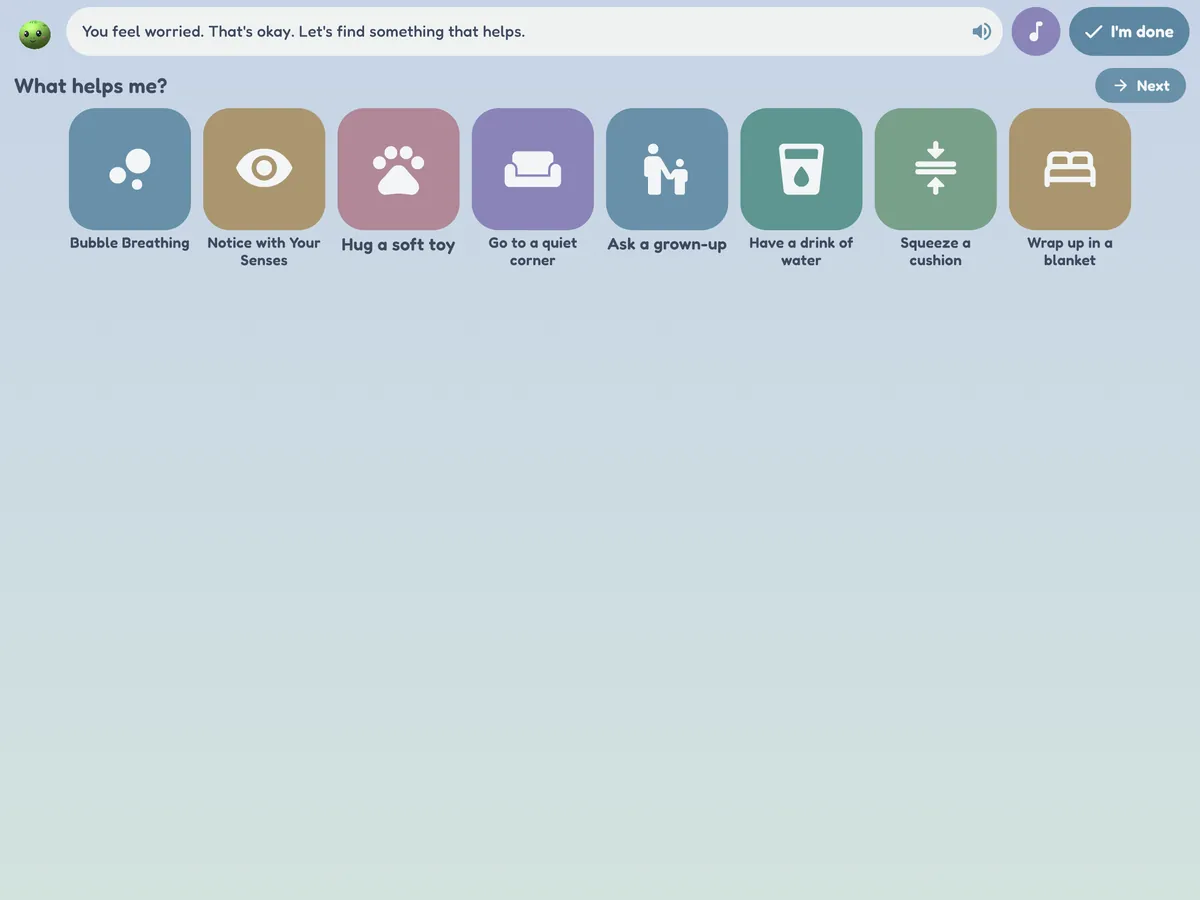
- How do I feel? A gentle feelings check-in, then a "What helps me?" board of ideas such as a soft toy, a quiet corner or asking a grown-up. You choose the ideas for each child, and can add your own.
There are no scores, stars, timers, fanfares or sticker pop-ups, and "I'm done" ends any activity at any moment. With reduced motion switched on, every scene stands still. The break screen has a "Go to Calm Cove" button, and Calm Cove is open without a subscription.
Calm Cove offers tools to practise calming. It is not a therapy or a treatment, and it isn't meant to replace the support of the people who know your child.
Maths practice that feels like a space adventure
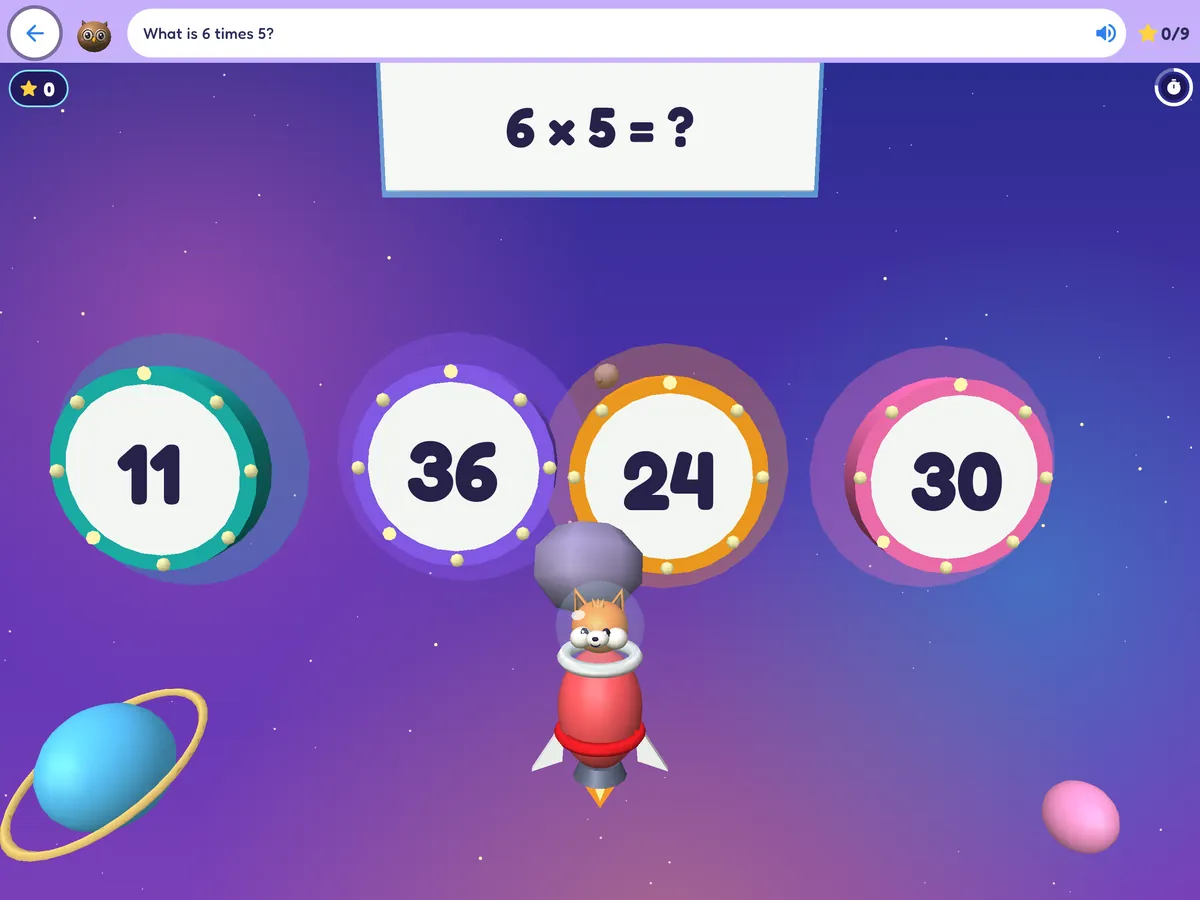
Your child flies their own rocket through 15 galaxies and 72 missions, zapping the right answer as it floats in from deep space. Each mission ends with a friendly boss, Muddle Moon, who wants a few answers in a row.
- From counting and comparing at 4 to times tables, division, fractions, money and time by 9.
- Nothing is ever lost: no lives and no game over. A wrong zap just wobbles, and a clue glows after two tries.
- Stars, rocket colours and stickers to unlock in the hangar, and power-ups for three in a row.
- Gentle for 4 to 6 year olds (slow, big targets); faster and busier for 7 to 9 year olds, with an optional bonus clock you can switch off.
First words in Spanish, French, German and Chinese
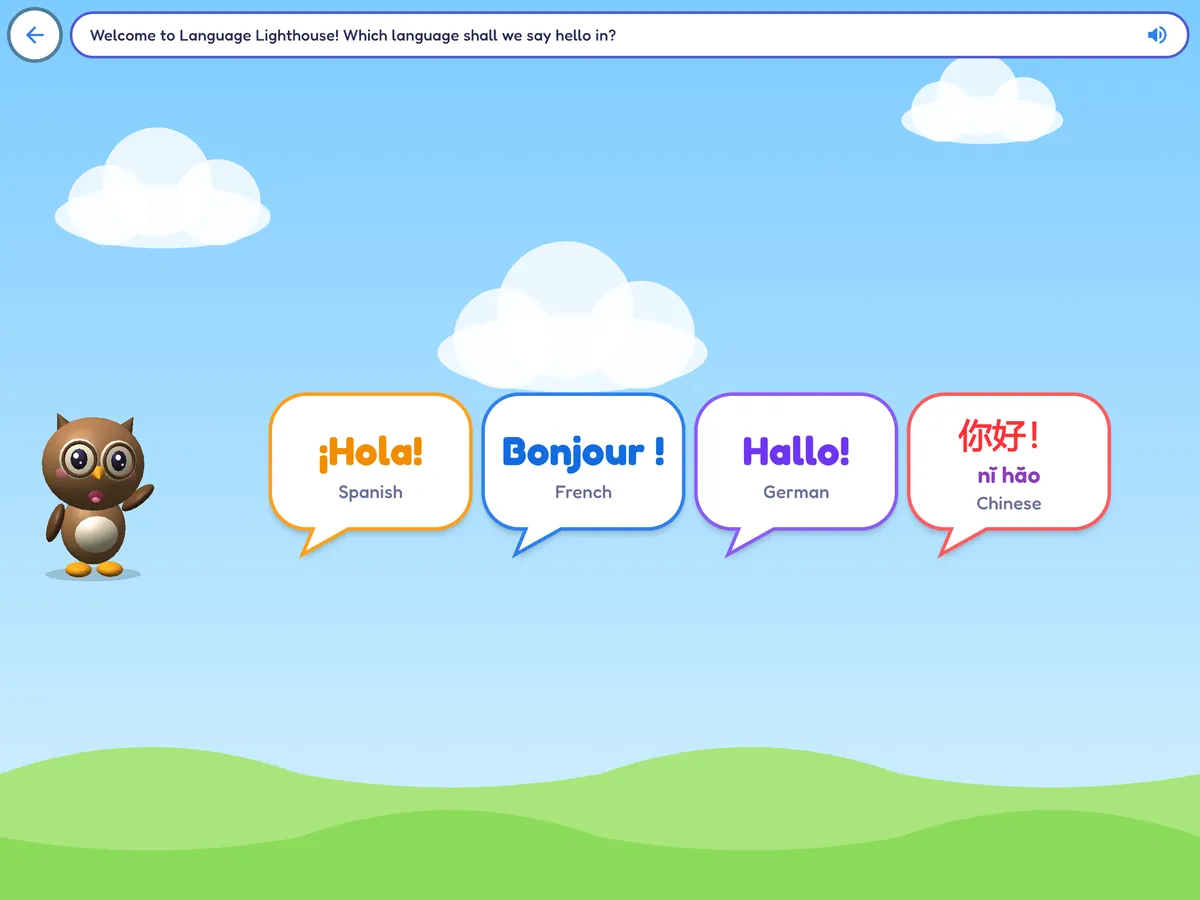
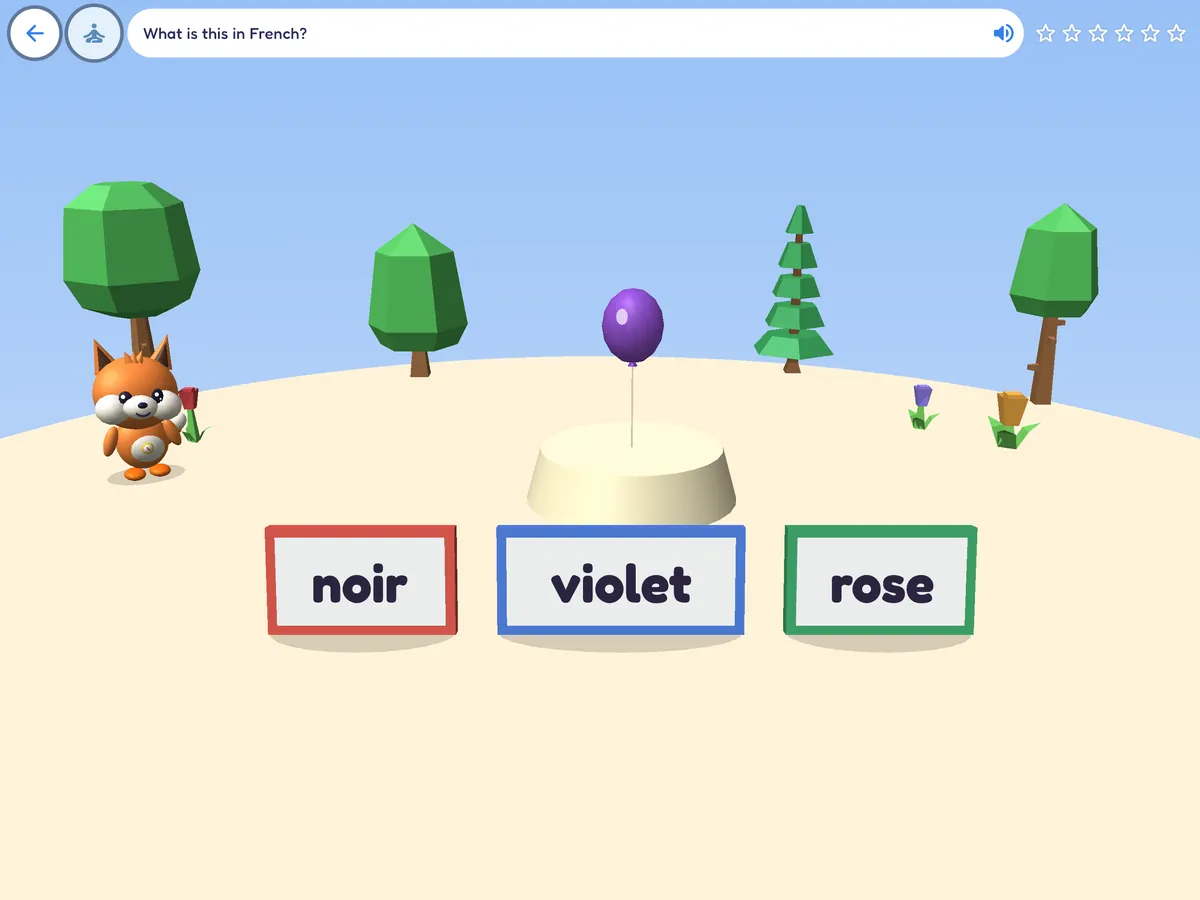
At the Language Lighthouse, Ollie the owl asks which language to say hello in. Your child taps a greeting bubble, ¡Hola!, Bonjour!, Hallo! or 你好!, and finds six short games for that language.
- Six games per language: listen and find, words and pictures, a memory game, Simon says, build a sentence and counting.
- Progress for each language, and the lighthouse remembers the language your child chose last time.
- Learning English? Set Mellowmoor to another language and English-learning games appear too. The language the app is set to is left out of the lighthouse.
- Natural voices for the language games download once in Parents > Settings > Voices for language games. Otherwise the device's own voice is used if it has one, and children can always play by reading.
30 language games in all: six each for English, Spanish, French, German and Mandarin Chinese. With Mellowmoor in English, the 24 for Spanish, French, German and Chinese are shown.
50 stories that read along with them
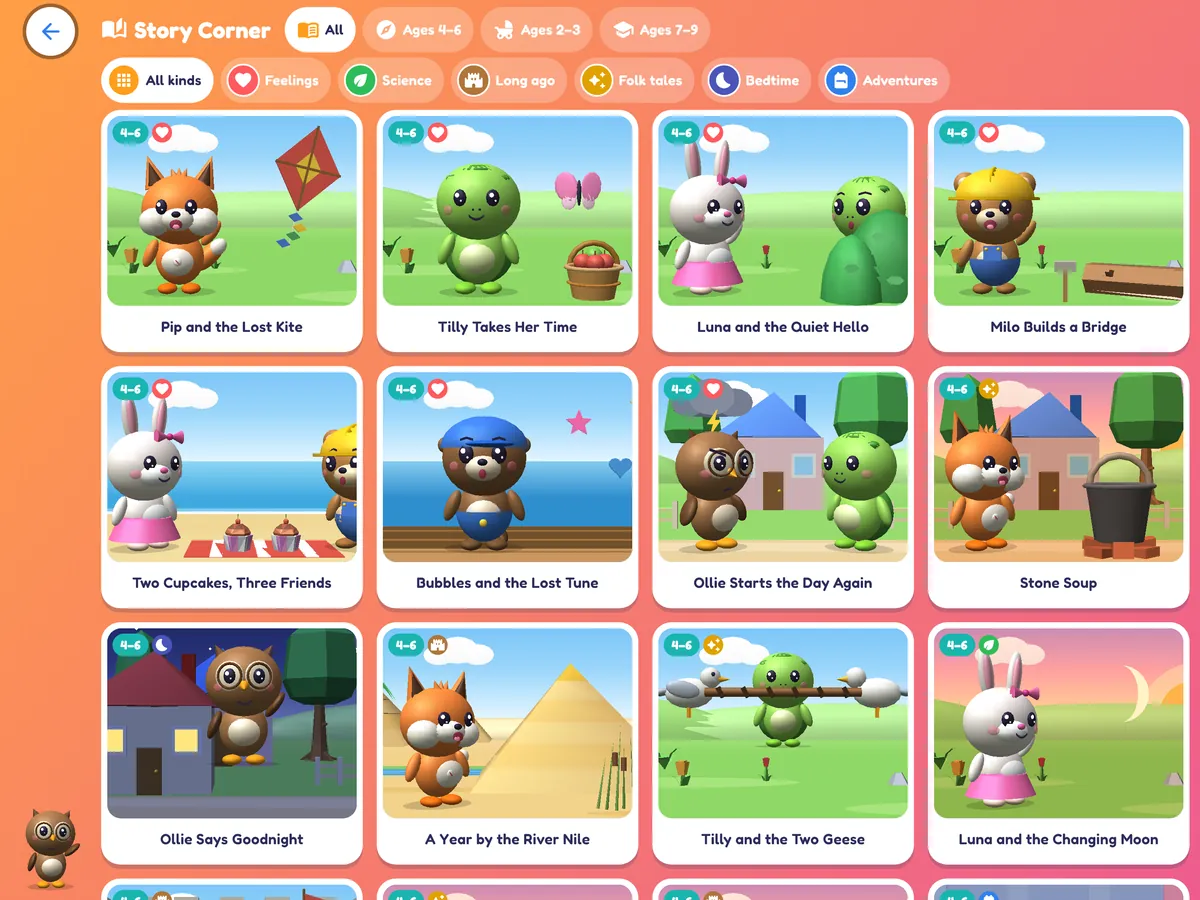
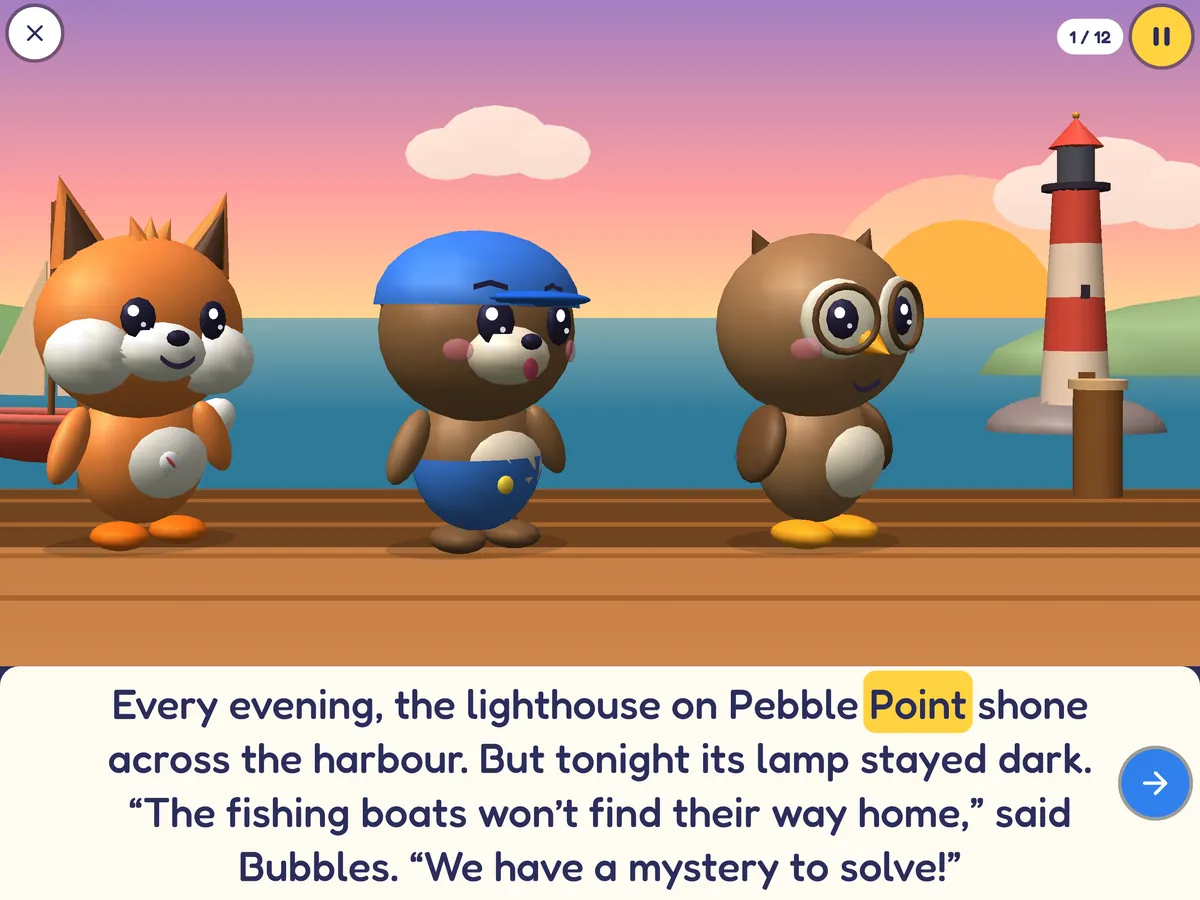
Original picture stories with the Mellowmoor friends in 3D, read aloud by a natural-sounding voice. Browse the shelf by theme or by age.
- Six themes: feelings and friends, nature and science, history adventures, folk tales from around the world, bedtime, and everyday adventures.
- Read to me: each word lights up as it is spoken.
- I'll read: your child reads, and can tap any word to hear it.
- 13 stories for ages 2 to 3, 18 for ages 4 to 6 and 19 for ages 7 to 9.
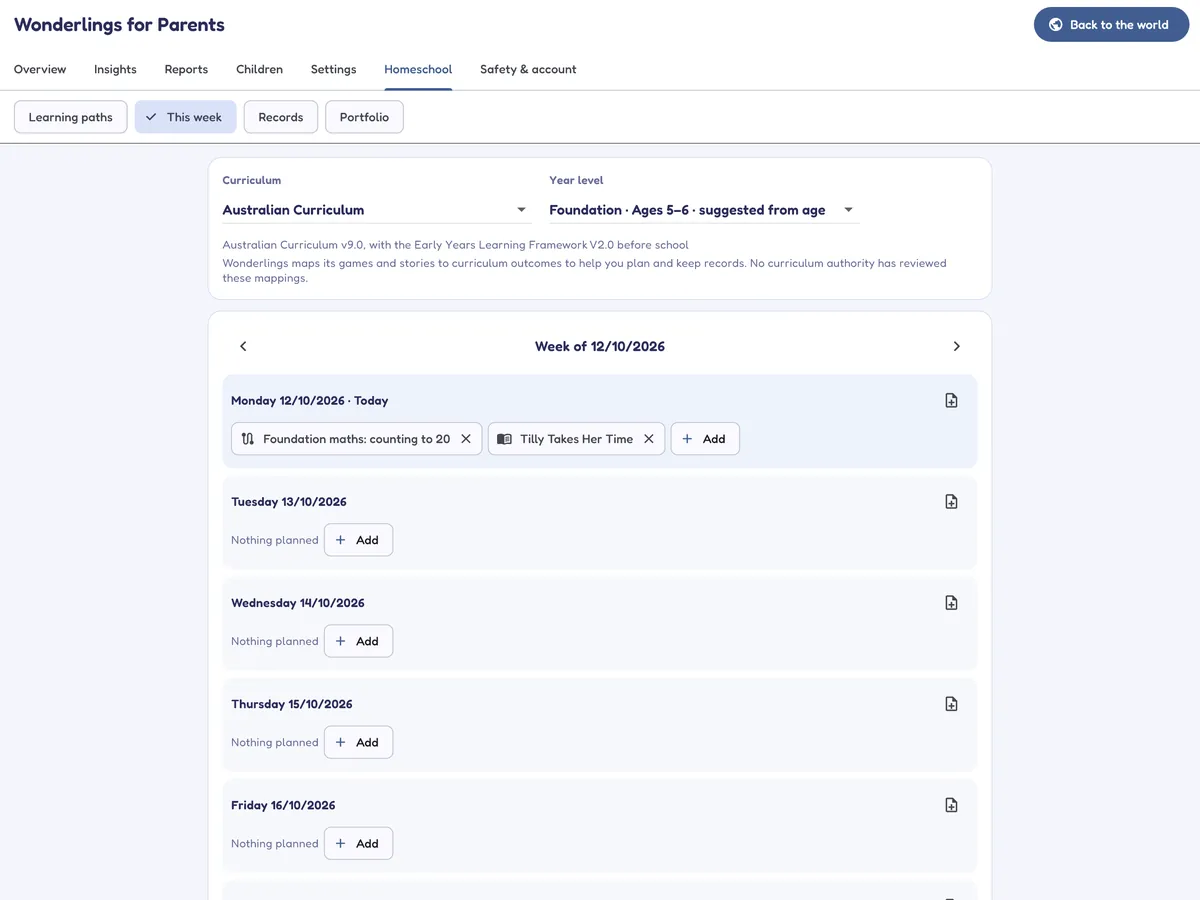
Plan, record and show your homeschool learning
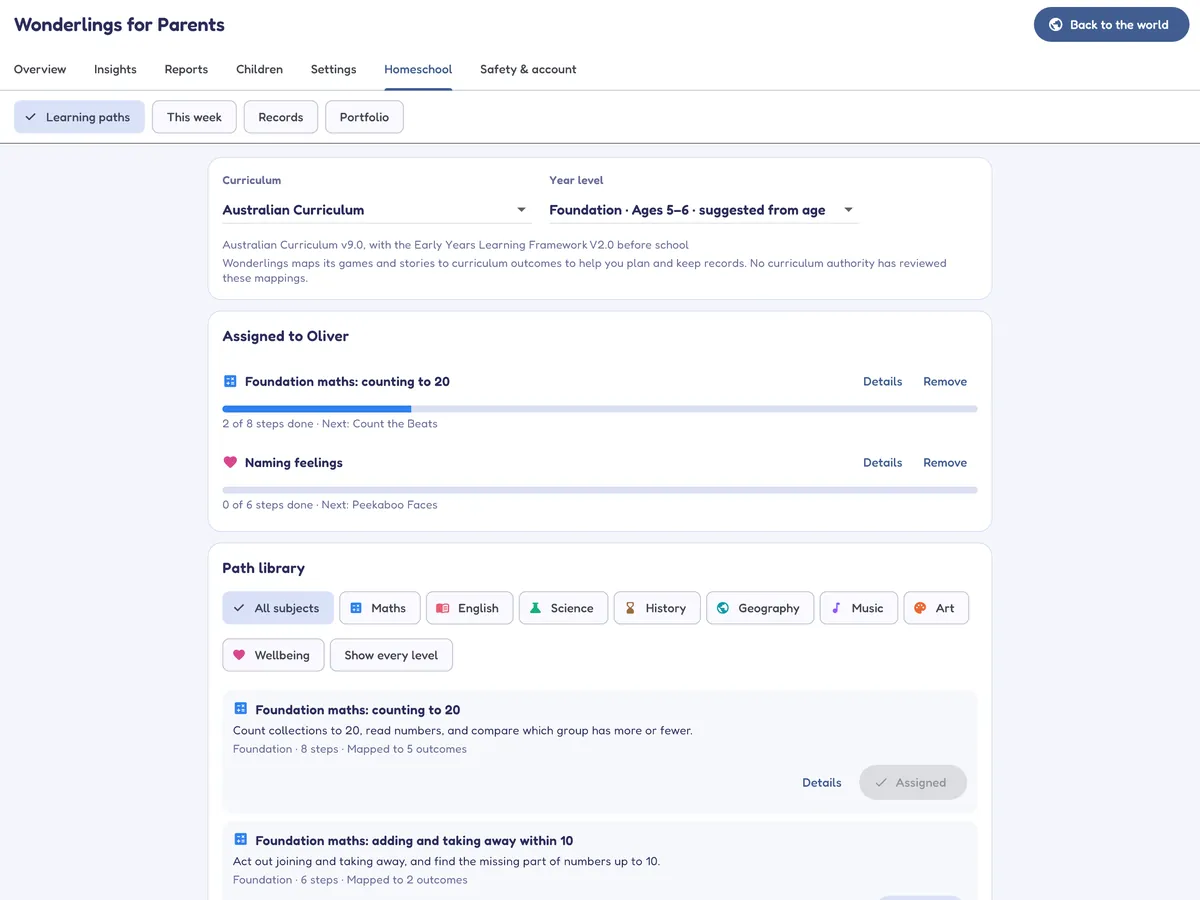
Switch on Homeschool mode in Settings and the parents' area gains a Homeschool tab. It comes with the family plan at no extra cost.
- Your curriculum: games and stories are mapped to 709 outcomes in the Australian Curriculum v9 and EYLF, US Common Core with NGSS and other national references, and England's National Curriculum and EYFS, from preschool to Year 3 (Grade 3 in the US, Year 4 in England).
- Learning paths: ready-made units of 5 to 10 games and stories. Assigned paths appear in your child's world as "Today's adventure".
- A weekly planner, and records of learning time per subject, outcomes practised, a learning log, work samples and your notes.
- An hours and days log: time in the app is filled in for you, you add learning away from the screen, and you can save it as a CSV file.
- A printable portfolio PDF for a term or any dates you choose.
Content is mapped to curriculum outcomes by Mellowmoor; no curriculum authority has reviewed or approved the mappings. Home education rules differ between states and countries, so check what your registration authority asks for.
Encouragement without the pressure
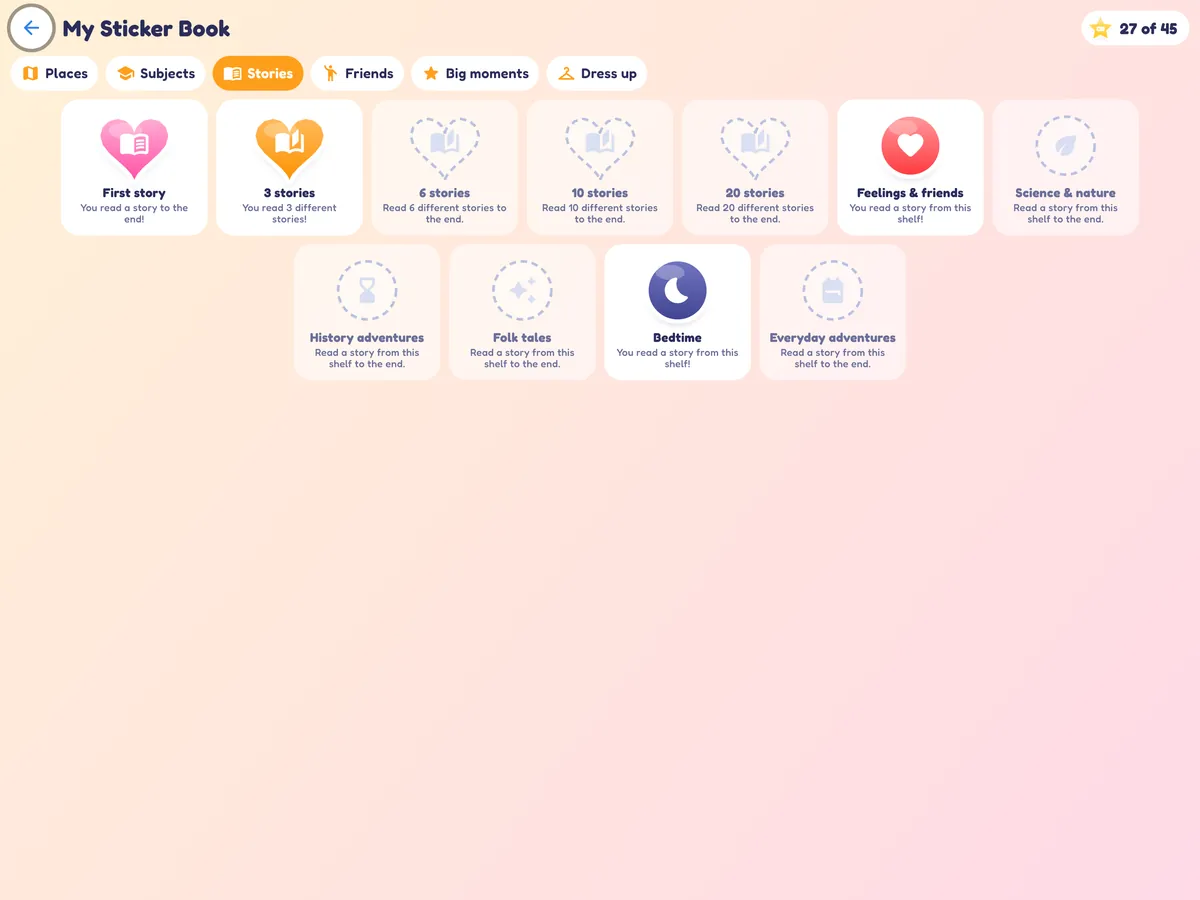
Children collect stickers for trying new things, not for beating anyone, and there is always something kind to come back to.
- A sticker book with 47 stickers for exploring places, subjects and stories, playing with each friend and big moments.
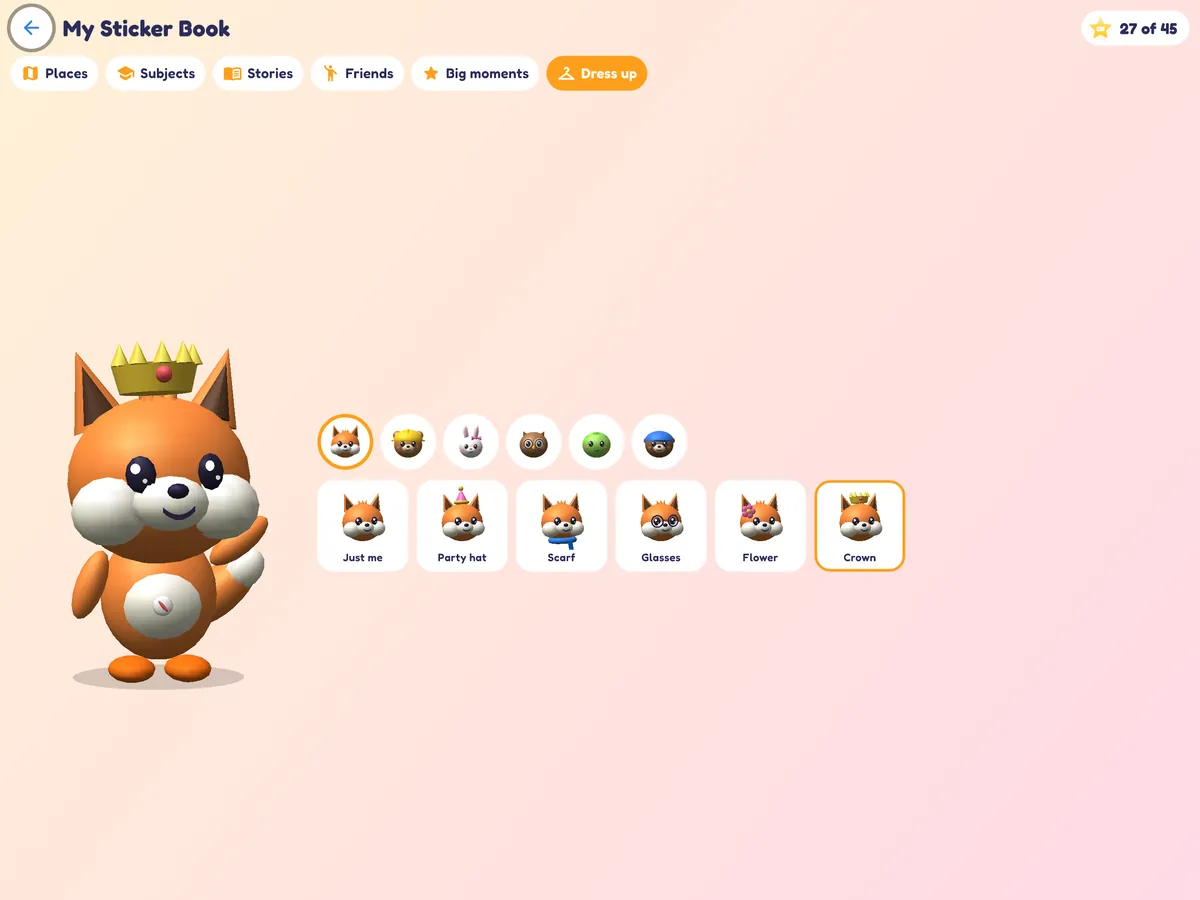
- Dress-up outfits for the six friends, from a party hat to a crown.
- Today's adventure: one game, one story and one music activity chosen for the day. Miss a day and nothing is lost.
- No streaks, leaderboards, lives, ads or purchases for children. You can switch the sticker pop-ups off in Settings.
Ten places to explore, six friends to meet
Children drag or tap their way around an animated world. Each place has its own games and skills.
 PipFox, curious explorer and guide
 MiloBear, friendly builder and inventor
 LunaRabbit, friendship and feelings
 OllieOwl, memory, patterns and mysteries
 TillyTurtle, patience and problem-solving
 BubblesOtter, music, rhythm and creativity
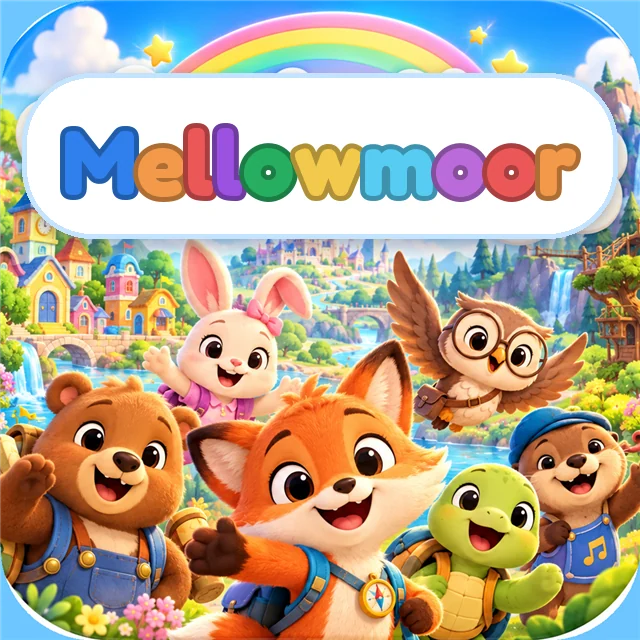
Character portraits are from the Mellowmoor cover art. In the app the friends are animated 3D models.
Play Studio
Room to make things up: brushes, stamps and colouring pages, a 3D sticker scene and a block sandbox, with a "My Pictures" gallery for each child. Pictures stay on your device.
Music Corner
64 recordings in nine collections: mostly calm instrumentals, plus a few classical pieces and ragtime favourites. Music softens whenever someone is speaking. It's there to enjoy; we don't claim it makes anyone cleverer.
Seven languages
- English
- Español
- Français
- Deutsch
- Italiano
- Português (Brasil)
- 简体中文
A natural-sounding voice runs on the device. English is built in; Spanish, French, German and Portuguese voices download once. Italian and Chinese use your device's own voice. Voices for the Language Lighthouse games download in Parents > Settings.
Try all of it free for 14 days
Every game, story, Star Cadets mission, Language Lighthouse and the Homeschool tools, for up to four children.
Their own settings, a picture plan and a break when they need it
Children differ in what they enjoy, what they can tune out and how long they like to play. Mellowmoor lets you set things up child by child.
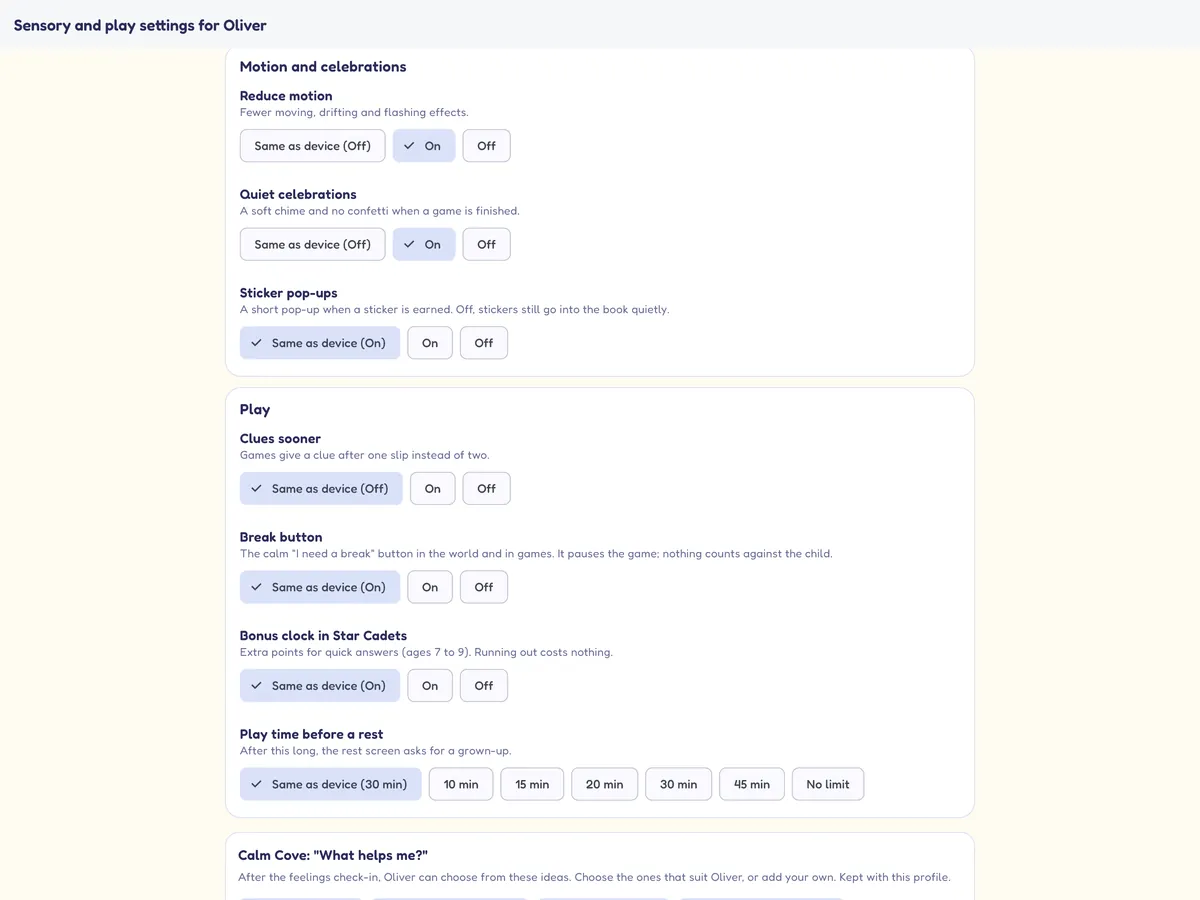
- Sensory and play settings for each child: spoken instructions on or off and a slower voice, sound effect and music levels, reduced motion, quieter celebrations (a soft chime, no confetti), sticker pop-ups, clues sooner, the break button, play time before a rest and the Star Cadets bonus clock. Anything you don't set follows the device.
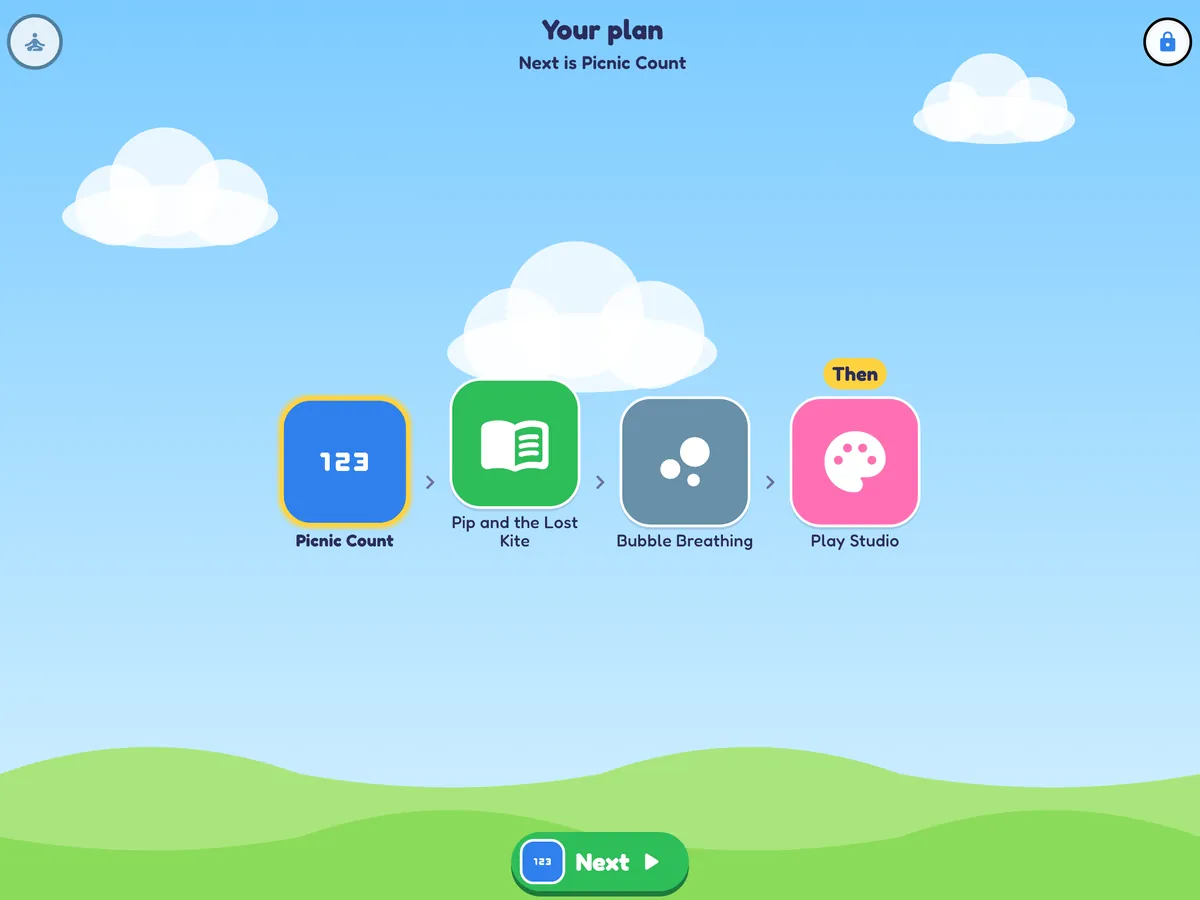
- "First, then" session plans: choose 2 to 6 activities (games, stories, Calm Cove, Play Studio or music) and an optional "then" treat. Your child sees them as a strip of pictures with a big Next button. Lock the plan with your PIN, or leave it as a suggestion.
- "I need a break": a calm button in the same place in the world and in every game. It pauses play, nothing counts against your child, and the break screen offers "I'm ready", "I'm finished" or "Go to Calm Cove".
- A new finishing sound, written for Mellowmoor, plays when a game is done (or a soft chime with quieter celebrations).
See how they're getting on, behind a PIN
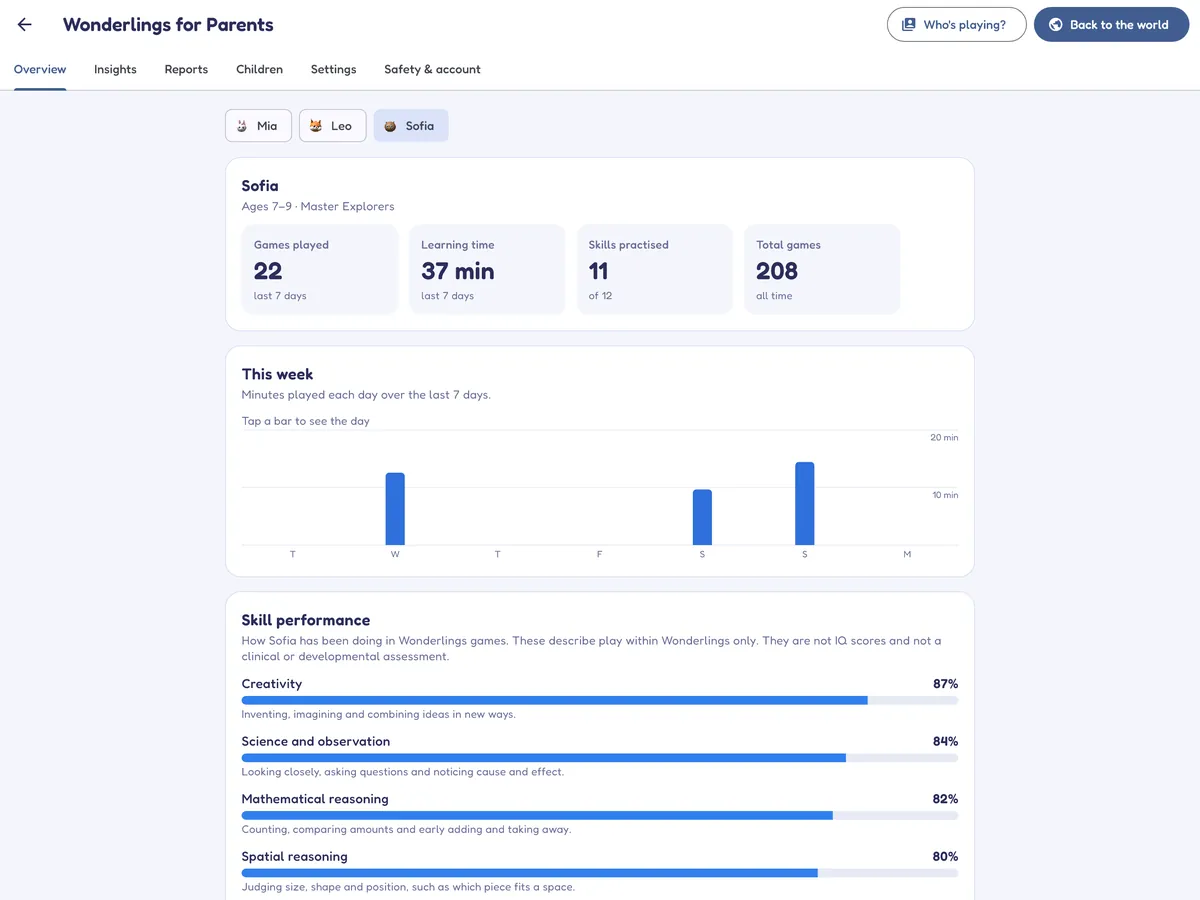
The parents' area sits behind a six-digit PIN that you choose. Inside you'll find how each child is getting on and ideas for things to do together away from the screen.
- Up to four children, each with their own profile, avatar, progress and sensory and play settings.
- Goals and notes for each child: set a goal, write dated notes, and see what play in Mellowmoor shows toward it, in Insights and in the report.
- Weekly and monthly reports with charts, trends, ideas for off-screen activities and a PDF you can save.
- An Insights tab that describes how your child plays, compared only with their own earlier play.
- A Play Observation Report: supporting information you can choose to share with a teacher or health professional.
- Session plans, the break button, Calm Cove's "What helps me?" board, language voices and play-detail recording, all in the parents' area.
- Homeschoolers also get an hours and days log, with a CSV file to keep.
Skill levels and Insights are a record of play in a game app. They are not IQ scores, and not a measurement of ability, development or behaviour. They are not a diagnosis or a screening for any condition.
Built to be trusted with children
We collect as little as possible, show no advertising and share nothing about your child unless you choose to share it yourself.
No ads. No tracking.
No advertising, no advertising identifiers and no analytics or tracking tools from anyone else, in the app or on this website.
A closed world for children
No chat, no social features, no messaging and no links out of the app in the children's area. Purchases and settings are only in the parents' area.
A PIN for grown-ups
The parents' area needs your six-digit PIN and locks for a while after five wrong tries. The PIN stays on your device.
Kept on your device
Play details behind Insights (including Calm Cove check-ins), pictures, stickers, Star Cadets stars, session plans, goals and notes, and homeschool records stay on the device. You can switch play-detail recording off or delete it.
Only what's needed, kept in Australia
Your account keeps your email, each child's nickname, age, avatar and game progress, stored in Sydney, Australia. No photos, location or contacts.
Delete whenever you like
Delete a child's profile, their play details or your whole account from the parents' area at any time. How to delete.
Using Mellowmoor with a group?
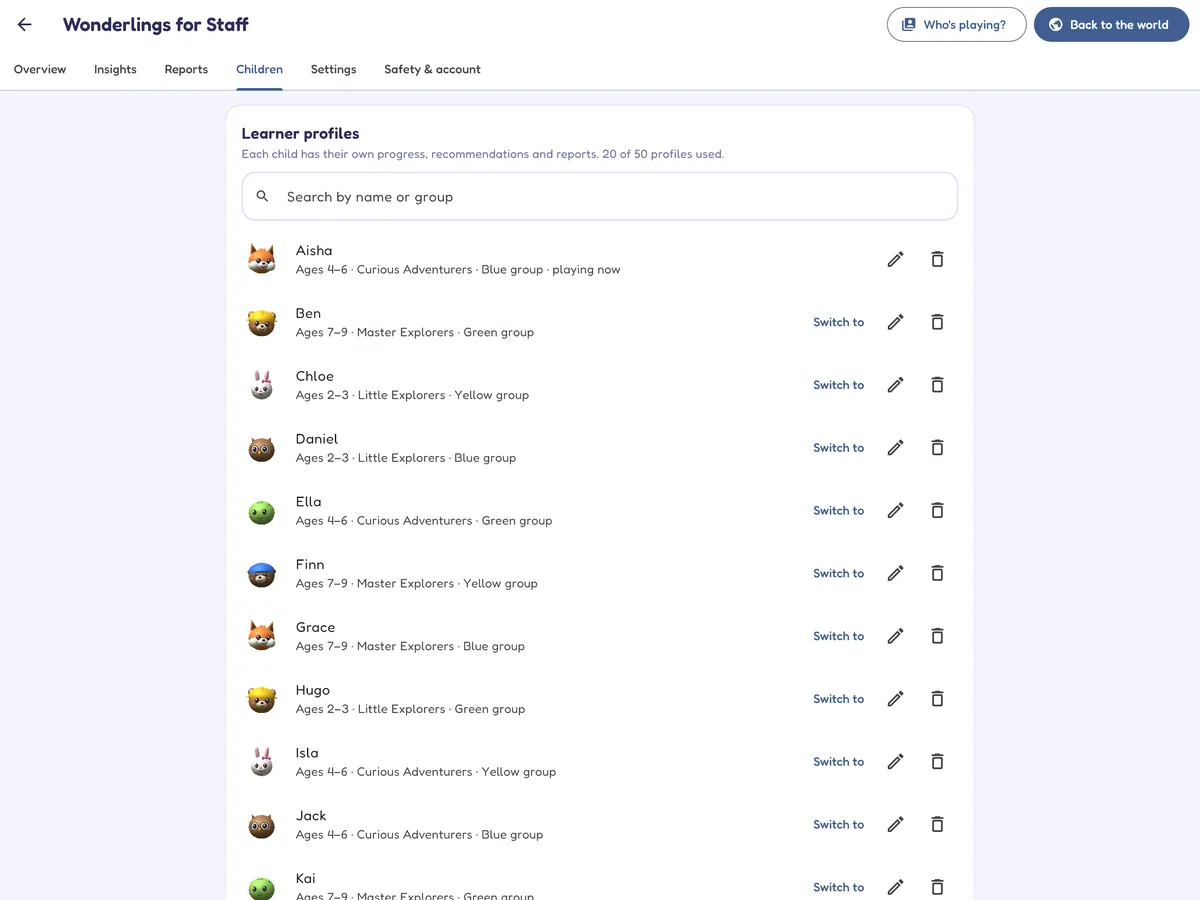
Organisation accounts hold many learners in groups or classes, with a PIN-protected staff area for reports, Insights, goals and notes, and the Play Observation Report.
- Plans for up to 15, 50 or 150 learners, or more by arrangement.
- For schools and preschools, therapy centres, autism centres and day care.
- Sensory settings, picture plans and Calm Cove for each learner.
- Optional sharing between your own tablets, after you confirm each family's consent.
- The same 436 games and 50 stories, with a 14-day free trial.
Four easy steps, 14 days free
One simple subscription for the whole family. Download the Android app from this website and pay by card, or use the App Store or Google Play.
- Download Mellowmoor
For Android, straight from this website; or from the App Store or Google Play. It's free to download.
- Set up in a few minutes
Create your account and parents' PIN, then add up to four children.
- Start your free trial
Choose your plan in the parents' area. Everything is open for 14 days.
- Then US$9.99 a month
For up to four children. Cancel before the trial ends and you won't be charged.
Family
For parents, carers and homeschoolers
after a 14-day free trial
- Up to four children, each with their own progress
- All 436 games, 50 stories, Star Cadets, Language Lighthouse, Calm Cove, Play Studio and Music Corner
- Homeschool mode: learning paths, planner, records and portfolio
- Reports, Insights and the Play Observation Report
- No ads and nothing extra to buy
Schools and centres
For schools, therapy centres and day care
after a 14-day free trial
- Plans for up to 15, 50 or 150 learners, or more by arrangement
- Learners organised into groups or classes
- A PIN-protected staff area with reports and Insights
Prices are in US dollars; local tax may apply. Our checkout and the stores show the total, including any tax, before you confirm. Apple and Google decide trial eligibility in their stores.
Start your free 14-day trial
Download Mellowmoor, set up your parents' area in a few minutes and try everything free for 14 days.
Then US$9.99 a month for up to four children. Cancel any time.
Straight from this website, pay by card in the app. Or:
Questions parents ask
What ages is Mellowmoor for?
Children aged 2 to 9. When you add a child you give their age, and Mellowmoor shows the games and stories made for their age band: 2 to 3, 4 to 6 or 7 to 9. Each game then moves up or down a level as your child plays.
How does the free trial work, and how do I cancel?
Download Mellowmoor free (for Android from this website, or from the App Store or Google Play), set up your parents' area and choose your plan there. New subscribers get 14 days free, then it's US$9.99 a month for up to four children. With the app from our website you pay by card through our secure checkout and cancel with the link in your receipt email; with a store, Apple or Google charges you and you cancel in your store's subscription settings at least 24 hours before the trial ends. Deleting the app doesn't cancel the subscription. Step-by-step instructions.
What can we use without a subscription?
Quite a lot. Six games, Story Corner with all 50 read-along stories, Play Studio for drawing and stickers, Music Corner and all 18 Calm Cove activities stay open with no subscription and no time limit. The subscription (or the 14-day trial) opens every game, including Star Cadets, the subject games and Language Lighthouse. We may change which games are in the free selection.
Is there any advertising, or anything for my child to buy?
No. There are no ads and nothing for sale in the children's area. The only purchase is the subscription, which is in the parents' area behind your PIN and goes through our secure card checkout, the App Store or Google Play.
What is Star Cadets?
A space arcade for maths inside Number Kingdom, for ages 4 to 9: 72 missions across 15 galaxies, from counting to times tables, fractions, money and time. There are no lives and no way to fail; stars depend on answers right first time.
What is Calm Cove?
A quiet place in the Mellowmoor world, hosted by Tilly the turtle, with 18 activities for practising ways to calm down: six kinds of slow breathing, squeeze and let go, a body scan, animal stretches, noticing with the senses, slow scenes to watch (a fish tank, a glitter jar, rain, clouds, a lava lamp), quiet music and a feelings check-in with a "What helps me?" board you set up for each child. There are no scores, stars, timers or celebrations, any activity can end at any time, and it is free without a subscription. It offers tools to practise; it is not a therapy or a treatment.
What is the Language Lighthouse?
A place in the world with first-words games in Spanish, French, German and Mandarin Chinese, and English for children using Mellowmoor in another language. Your child taps a greeting to choose a language, and finds six games for it: listen and find, words, memory, Simon says, build a sentence and counting. Progress is kept for each language. For spoken words, download the natural voice for a language once in Parents > Settings.
Can I set things up differently for each child?
Yes. In Parents > Children, each child has their own sensory and play settings (voice and voice speed, sound and music levels, reduced motion, quieter celebrations, sticker pop-ups, clues sooner, the break button, play time before a rest and the Star Cadets bonus clock), their own "first, then" session plan and Calm Cove's "What helps me?" board. Goals and notes for each child are in the Insights tab. Anything you leave alone follows the device's settings.
Does Homeschool mode cost extra, and which curricula does it follow?
It's included in the family plan; switch it on in Parents > Settings. Games and stories are mapped to outcomes in the Australian Curriculum v9 and EYLF, the US Common Core State Standards with NGSS and other national references, and England's National Curriculum and EYFS. The mappings are our own: no curriculum authority has reviewed or approved them. Homeschool plans and records are kept on the device you use and don't sync to other devices.
Are the English reading games available in other languages?
The 41 English reading and writing games (phonics, spelling, sentences, grammar and reading comprehension) are about the English language, so they appear only when Mellowmoor is set to English. In the Language Lighthouse, children learning English find six English games when Mellowmoor is set to another language. Maths, science, history, geography, music, the stories, Calm Cove and everything else are in all seven languages.
Are there streaks, leaderboards or timers?
No streaks and no leaderboards. Stickers reward trying new things, Today's adventure can be skipped without losing anything, and you can switch sticker pop-ups off. In Star Cadets, 7 to 9 year olds see an optional bonus clock that only ever adds points; you can switch it off in Settings. You can also set a session length, after which a restful break screen appears, and children can ask for a break themselves at any time with the "I need a break" button. Calm Cove has no timers at all.
What do you know about my child?
Your account holds each child's nickname, age, chosen avatar and game progress, so you can carry on on another device. The finer details of how they play (including Calm Cove check-ins), their pictures, stickers, session plans, goals and notes, homeschool records, the language they last chose in the Language Lighthouse and your PIN stay on your device. There are no photos, recordings, location or contacts. Our children's privacy notice explains it all in a few minutes.
Is the Insights tab an assessment?
No. It describes what happened while your child played, compared only with their own earlier play. It is not a measurement of ability, development or behaviour, and it is not a diagnosis. If you'd like help reading it, you can share the report with a teacher or health professional; nothing is sent unless you send it.
Does it work without the internet?
Yes, once it is set up. Games, stories and music are all on the device. You need a connection to create your account, to download an extra voice (including the voices for the language games) and for progress to sync between devices; changes made offline are sent when you're back online.
Do I need Google Play to use Mellowmoor on Android?
No. You can download the Android app from this website and pay by card in the app, so it works on tablets without Google Play, such as Amazon Fire tablets. It's also in Google Play if you prefer. On iPad and iPhone, use the App Store; a version that runs in the iPad's web browser is coming soon.
How many children can use one subscription?
Up to four on the family plan, each with their own profile and progress.
Can my school or therapy centre use it?
Yes. Organisation accounts hold many learners in groups, with a staff area for reports, goals and notes, settings for each learner and optional sharing of play between the organisation's own tablets. See Mellowmoor for schools and centres.
Something else? Visit support.